Cross-asset mover tape
Rank stock gainers, large reported declines, crypto majors, and DEX pairs by move, volume, liquidity, or velocity.
Loading Mover…
 MoverAIEnter Mover
 Your daily market research workspace
Find stock and crypto movers. Read the source. Keep the context. Market, Radar, and News bring your next research question into focus.
DESKTOP INTERFACE · SEPTEMBER 2026
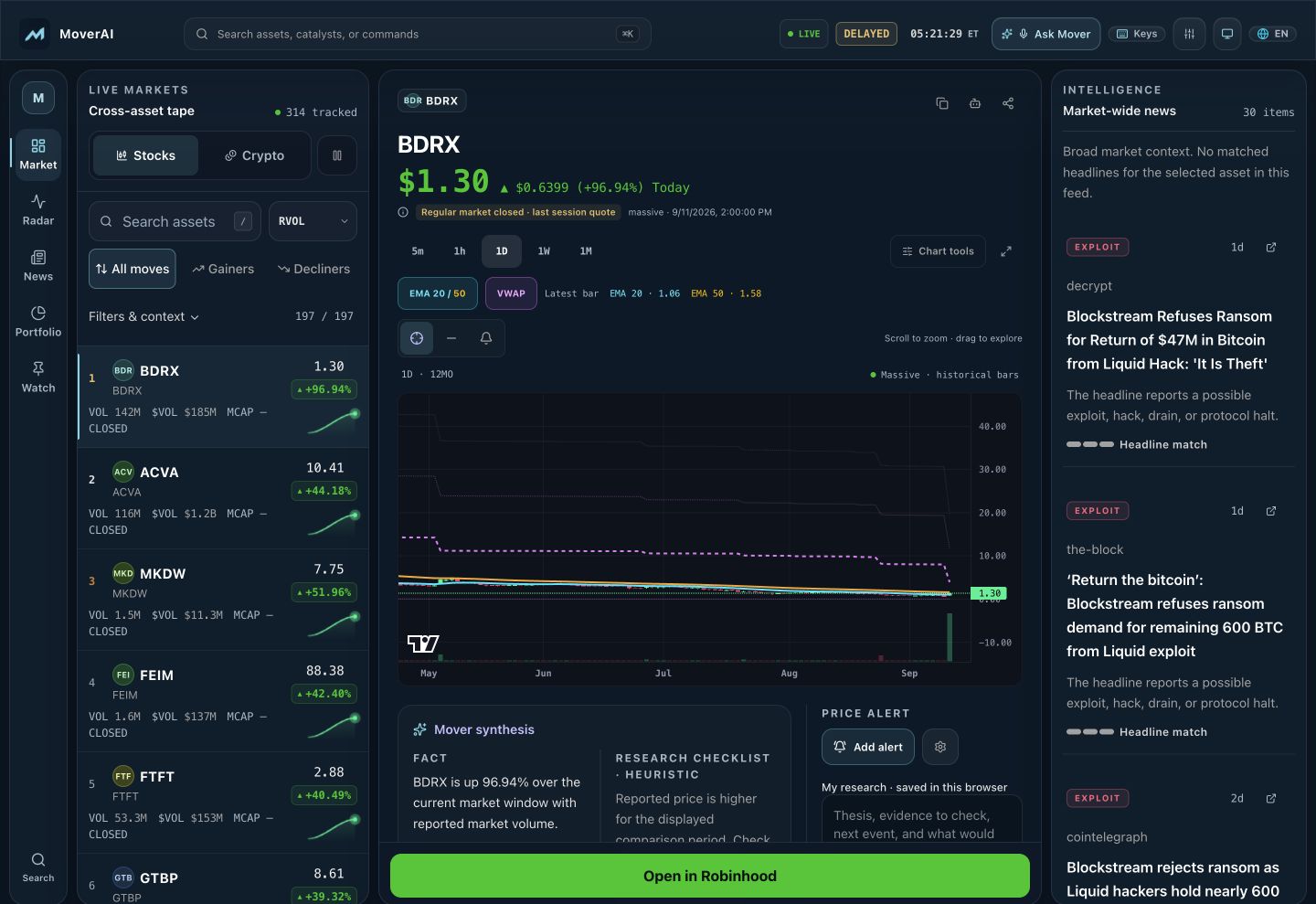
01 / FIND YOUR FOCUS
Start with a move. Follow a developing story. Or check the headlines. Your next question is always within reach.
Find stock and crypto movers. Inspect price, volume, and the chart in one place.
Explore the marketExplore headlines, social sources when available, and the wider market backdrop.
Open RadarRead the reported catalyst, check the publisher, and go straight to the original source.
Read the newsNEW IN V1.3
Save a thesis beside an asset, then back up your watchlist, portfolio records and notes from Terminal Preferences. Import your file into another browser when you want to bring your research with you.
Saved on your device · no account sync
Before you trust a move
Confirm the asset, market, and trading pair. A shared ticker does not mean the same investment.
Open the original reporting. Separate what happened from what someone thinks it means.
Check the quote’s freshness and the story’s publication time before connecting the two.
A calmer command surface
Find something worth investigating. Open its chart, compare available headlines, and check the wider market. Save the assets you want to come back to, with your research kept in this browser.
02 / ONE SURFACE
Keep the mover tape beside your research. Switch between charts, Radar, and News without losing the broader market picture.
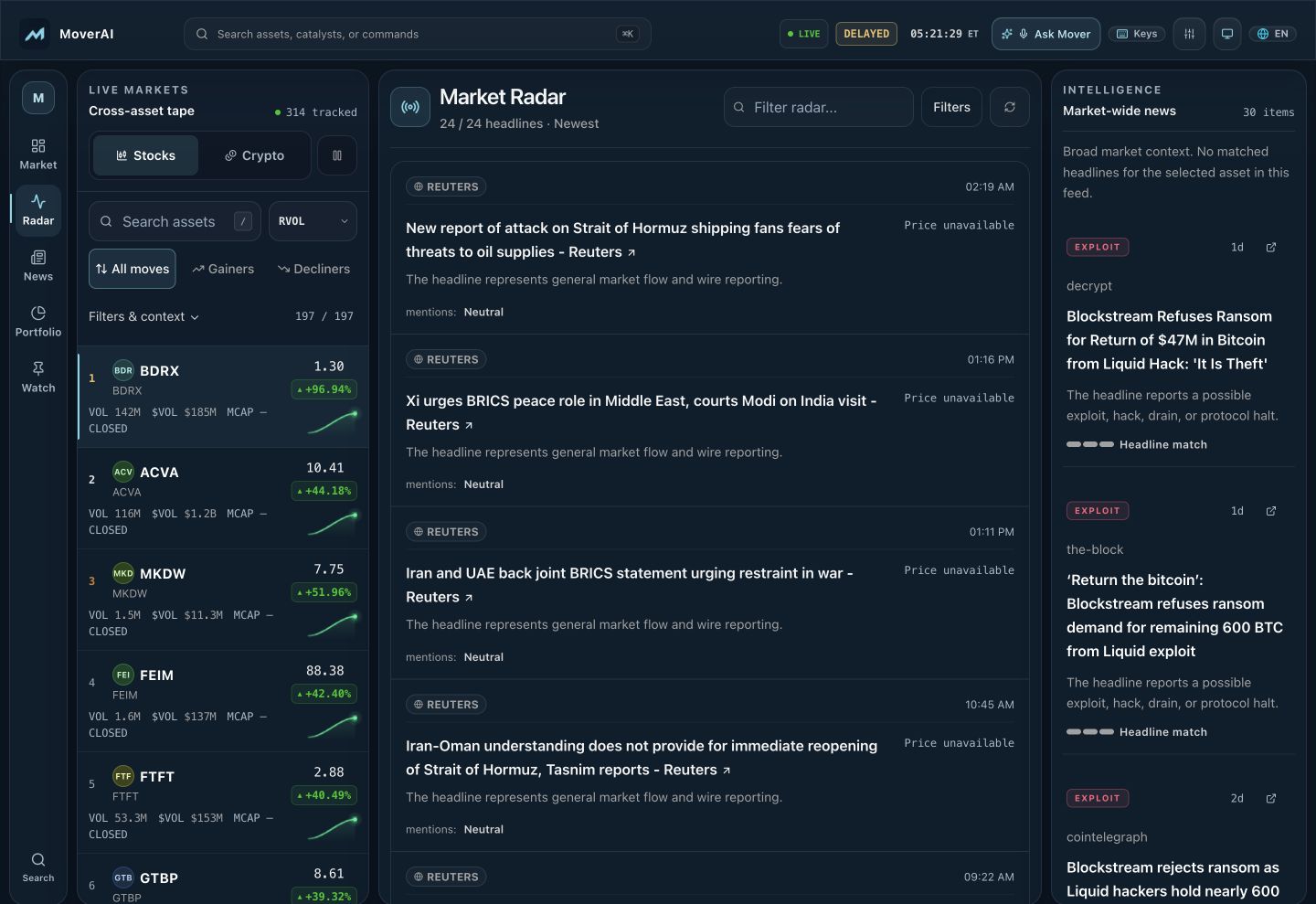 Current alpha interface · September 2026
Swipe the radar preview on mobile, or select any interface capture to view the full-resolution capture. Quotes, headlines, and availability are point-in-time and provider-dependent.

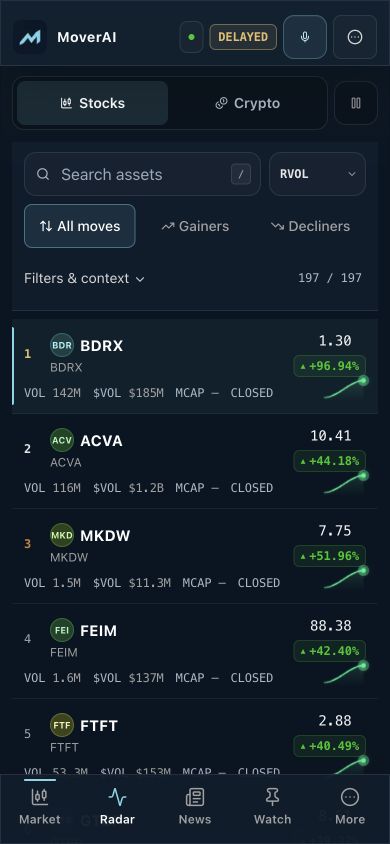
YOUR POCKET WORKSPACE
Market, Radar, News, and Watch live in the bottom navigation. Tap a mover to inspect its chart in a sheet, then return to your list. Your portfolio is one tap further, in More.
On iPhone, open Mover in Safari, tap Share, then Add to Home Screen. On Android, use your browser’s Install app or Add to Home screen option. The installed app opens directly into the terminal. Market data needs a connection; saved research stays in the browser or app where you created it.
03 / THE TOOLKIT
Each surface answers a practical research question and shows where data came from, how fresh it is, and when it is unavailable.
Rank stock gainers, large reported declines, crypto majors, and DEX pairs by move, volume, liquidity, or velocity.
Inspect multi-timeframe candles with EMA 20/50, VWAP bands, volume, drawing tools, and fullscreen charting.
Review expected-move scenarios, volatility context, funding, and basis when providers supply usable inputs. Live options contracts are not available in this beta.
Connect linked headlines with catalyst labels, source-reported activity when available, and clearly labeled derived headline tone.
Read fear and greed, crypto market breadth, Treasury curve context, and prediction-market observations beside the tape.
Save a watchlist, portfolio records and notes in this browser. Download a research backup from Terminal Preferences without linking a brokerage account.
Search, navigate, and run common terminal actions with the command palette, hotkeys, or the optional voice copilot.
04 / THE FLOW
Start with a ranked tape and apply filters that match the market behavior you are researching.
Open the chart, check freshness, and compare the move with available news and market context.
Pin an asset, set an alert, or add it to the browser-local portfolio before handing off to an external venue.
05 / FAQ
Mover does not execute or custody trades. Its trade action hands you off to supported external broker, exchange, chart, or swap destinations; any order is reviewed and placed there.
Data availability and latency depend on market coverage and entitlements. Every quote shows its source and observation time, and the tape keeps its last reported observations visible while feeds resync. No simulated prices are ever shown.
Watchlists, research notes, alert history, portfolio entries, locale and preferences remain in this browser. They are research records, not brokerage positions. Clearing site data removes them, so keep a backup of the research you want to preserve.
Yes. Open Terminal Preferences and choose Download backup to save your watchlist rules, portfolio records and notes. Choose backup in another browser to preview and import new records. Existing records and notes take priority. Keep the file private; account sync, alert history and interface preferences are not included.
No. The current beta opens without an account or brokerage connection. Saved lists and preferences remain local to the browser you use.
No. The current beta can show optionability, expected-move proxies and related derivatives context when inputs are available, but it does not currently provide a live options contract chain.
A workspace for people. Context for agents.
Screen the observed movers, resolve the asset, and carry source-linked context forward through MCP. Explore the current interface and proposed private-pilot plans for your research agents.
Community-funded
Community donations keep market data free for everyone.
Donation addresses coming soon.
No verified contributions yet.
MOVER.AI · BY DUDLY AI